
From photos to a finished report
August 28, 2026
This update completes the report on the computer: from dragging photos to a finished report you can always reopen.
Drag your photos, Kadero builds the report
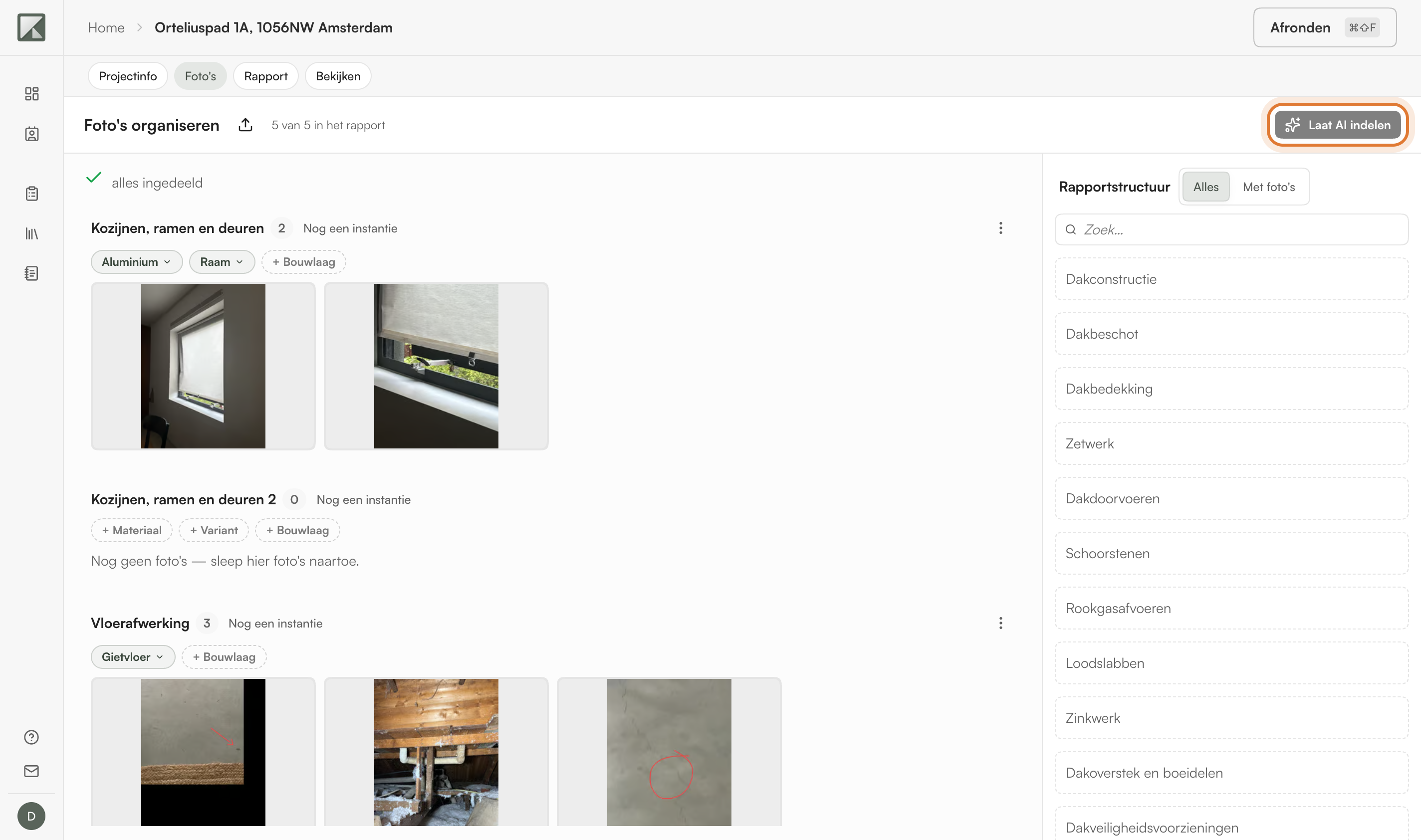
Upload all your photos at once on the Foto's tab, by selecting them or dragging them onto the screen. They arrive under Nog niet ingedeeld: drag them to the right place in the report structure yourself, or choose Laat AI indelen and Kadero sorts them for you. That button is there for an inspection by element. Whatever Kadero sorted stays marked, so you can adjust it afterwards, or put back everything you have not touched yourself in one go. Whatever is sorted in ends up in the report with its element.
Reopen a completed report
A completed report is no longer final. Choose Rapport bewerken and you can carry on; the version you had finished stays saved and downloadable under Versies. Finish again and a new version joins it. The PDF cover carries a version stamp next to the date, and the share link of the digital report stays the same for every version.
Custom chapters in your document template
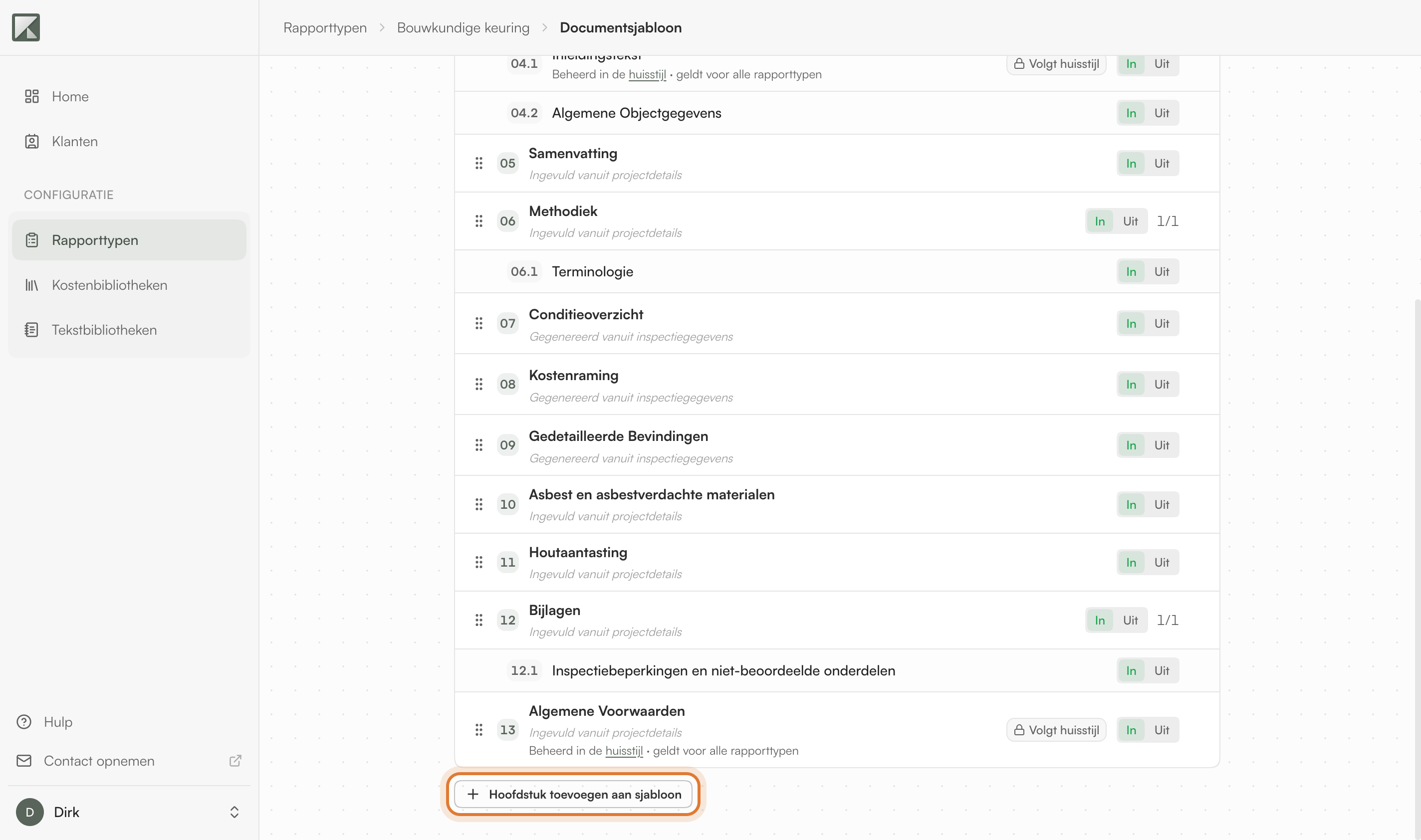
The document template of a report type can be edited again. Go to Rapporttypen, open a report type, and adjust the chapters under Documentsjabloon: add your own chapters, change the order and the texts. New reports follow your template.
A simpler project start
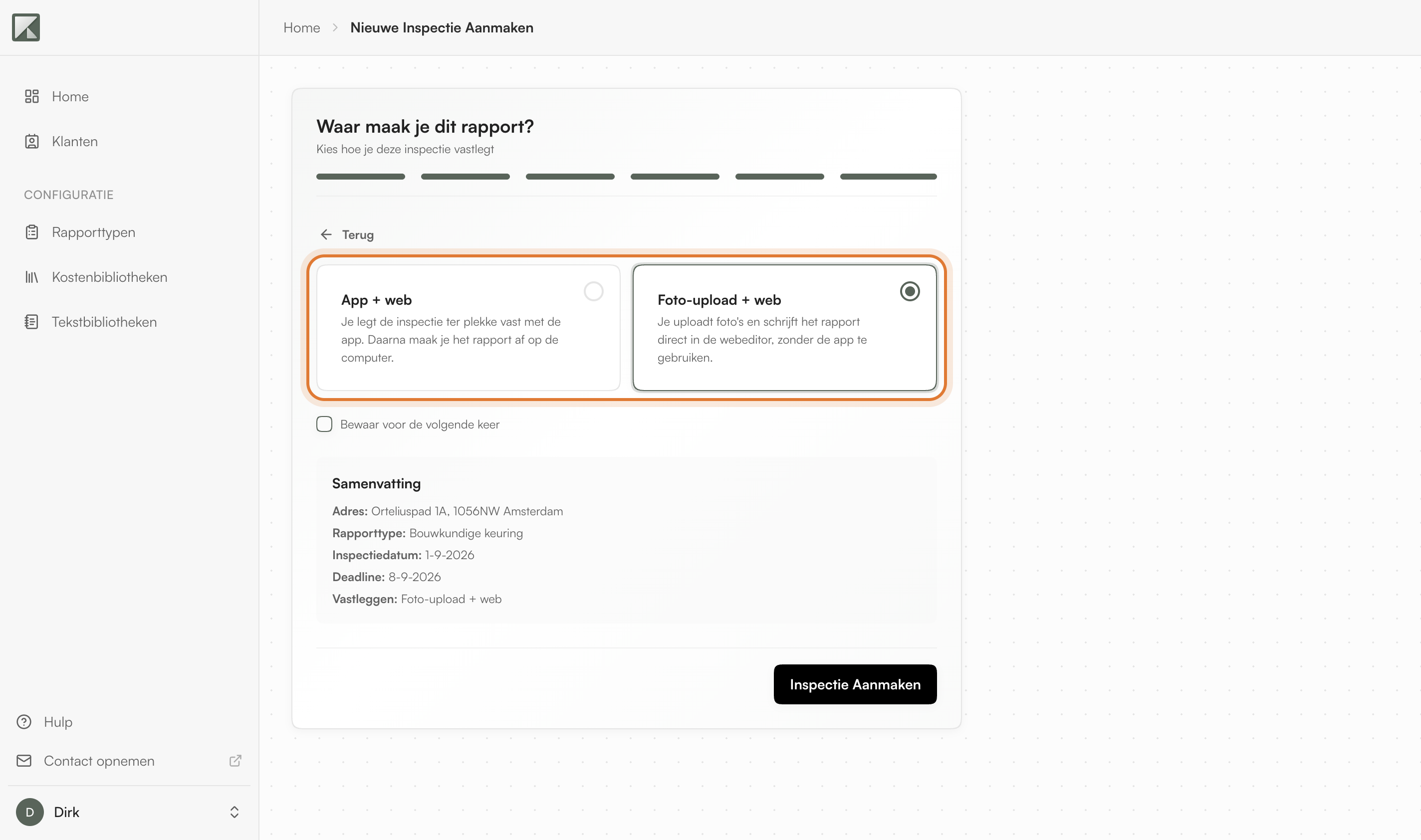
As the last step of creating a project, Kadero asks where you will write the report. Choose App + web if you capture the inspection on site with the app and finish it on your computer, or Foto-upload + web if you upload photos and write the report straight into the web editor. Your choice can be remembered for next time. The report starts empty: what you capture or sort in determines what goes into it.
Export your costs to Excel
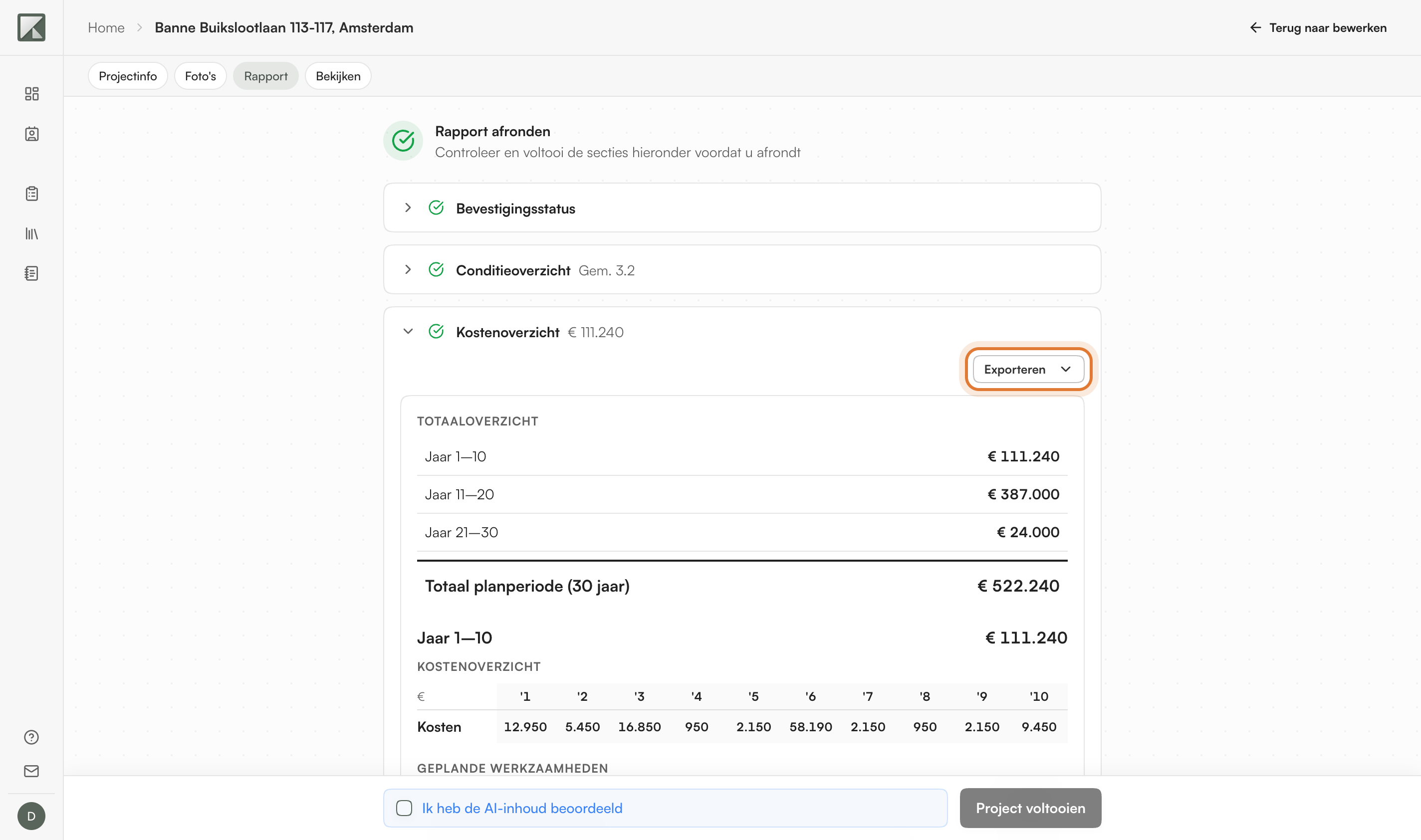
Under Afronden, the Kostenoverzicht now has an Exporteren button. For a report type that plans by year, such as an MJOP, you get the Meerjarenplanning as an Excel file with the works laid out across the years. Other report types produce a cost overview grouped by urgency. Either way a CSV of the underlying cost rows comes with it, so you can continue in your own spreadsheet or MJOP software.
Also in this release
- Vrije inspectie: choose the structure per project: free sections, per room, or per element. The report follows that choice from capture through to the PDF.
- Nulmeting: record which defect is already present per room and per surface, and fill in the address of the construction site where the works take place. The text is written in report language, without condition grades or costs.
- Chapter as one card: add a chapter in the editor with its text and photos together.
- Sharper voice transcription and better observations and advice.